Engineering notebook
Modbus Anywhere Test Firmware
Notes from bringing up deliberately simple ESP-IDF test firmware for Modbus Anywhere: console commands, Wi-Fi, MQTT, mDNS, and an SDM120 read.
- Published
- Projects
- Modbus Anywhere
- Part 1 - PCB design
- Part 2 - Test firmware
- Part 3 - Real firmware
I had initially used an Arduino sketch to get a breadboard prototype talking to an SDM120M. That was useful for proving out the basic UART and RS-485 wiring, but I wanted the board firmware itself to live in ESP-IDF so it would be easier to extend into something maintainable.
Before disappearing down the rabbit hole of “real” firmware, I wrote a deliberately simple test build. The idea was to bring each subsystem up one at a time behind a serial console command, prove it worked in isolation, and only then try stitching the pieces together.
ESP-IDF console
The first thing I set up was the ESP-IDF Console. That gave me a convenient way to drive the firmware over the serial monitor, trigger tests on demand, and pass in parameters without recompiling for every tiny experiment.
Once I had the basic plumbing working with a simple info command that returned processor details, the console became the harness for everything else. Each time I wanted to prove a new piece of functionality, I could just add another command rather than writing one giant pile of special-case test code.
Wi-Fi
Wi-Fi felt like a good place to start. ESP-IDF has plenty of examples for the basic station mode flow, and there is enough abstraction there that it did not take much code to get useful results.
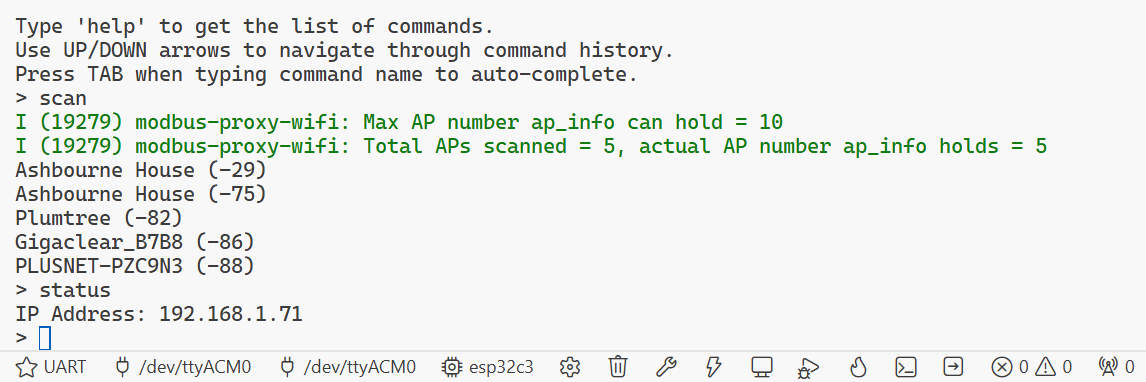
I added one console command to scan for nearby networks and print the results to the terminal. A second command accepted the SSID and PSK to join a network. Once that was working reliably, I extended it slightly so the credentials could be stored in non-volatile storage and reloaded automatically on boot.
That was enough to prove the basic radio setup, event handling, and configuration persistence before I mixed MQTT or anything else into the picture.
MQTT
Once the board could join the network, the next obvious step was MQTT. The end goal for this project is to get meter readings onto the network cleanly, so there was no point delaying that part for too long.
That required a broker, and Mosquitto was extremely simple to get running using their Docker container. On the firmware side I wrote a console command that took a host IP address, a topic name and a payload, then connected and published it using the ESP-IDF MQTT client library.
This was not complicated, but it was a useful checkpoint. It proved that once Wi-Fi was up, I could create an MQTT client on demand and get data off the board.
mDNS
I would prefer the board not to rely on a hard-coded broker IP address, so the next experiment was mDNS service discovery.
I spent a while trying to run Avahi in another container and use that to advertise a hostname over mDNS. That turned into a mildly annoying dead end. I could not find a clean way to get the multicast traffic out of the Docker network in a form that was useful for this test.
In the end I switched to a simple Python script using the zeroconf package to advertise both a hostname and an _mqtt._tcp.local. service directly on the local network. On the firmware side, one console command resolved a hostname to an IP address via mDNS, and another listed the services discovered for a given service type.
That was enough to show that the board could discover the broker dynamically rather than needing everything wired in as fixed configuration.
SDM120 Modbus
The final hardware-facing piece to prove was talking to the SDM120 over Modbus RTU.
The ESP-IDF Modbus master component includes an abstraction layer where you define slave descriptors and register maps in source. That looks neat for a fixed application, but it was not quite what I wanted here. Modbus Anywhere needs to be able to read arbitrary registers on demand, so I went digging through the API documentation and found mbc_master_send_request, which allows an arbitrary register read.
I was able to refer back to the Arduino sketch that I had working on the XIAO RS485 breakout board to figure out the UART setup and direction-control handling, then cross-reference that against both their schematic and mine to map the pins properly.
After a bit of trial and error, and a fair amount of staring at the SDM120M register documentation, I got a response from the voltage register. The Arduino sketch was useful here as well, because I could compare the endianness and floating-point decoding and confirm that the value coming back from the ESP-IDF code made sense.
Putting it together
The final test was a single console command that stitched all of those pieces together. It brought up Wi-Fi, used mDNS to discover the MQTT broker, initialised the MQTT client, then started a timer that polled the SDM120M voltage register and published the decoded value to a topic.
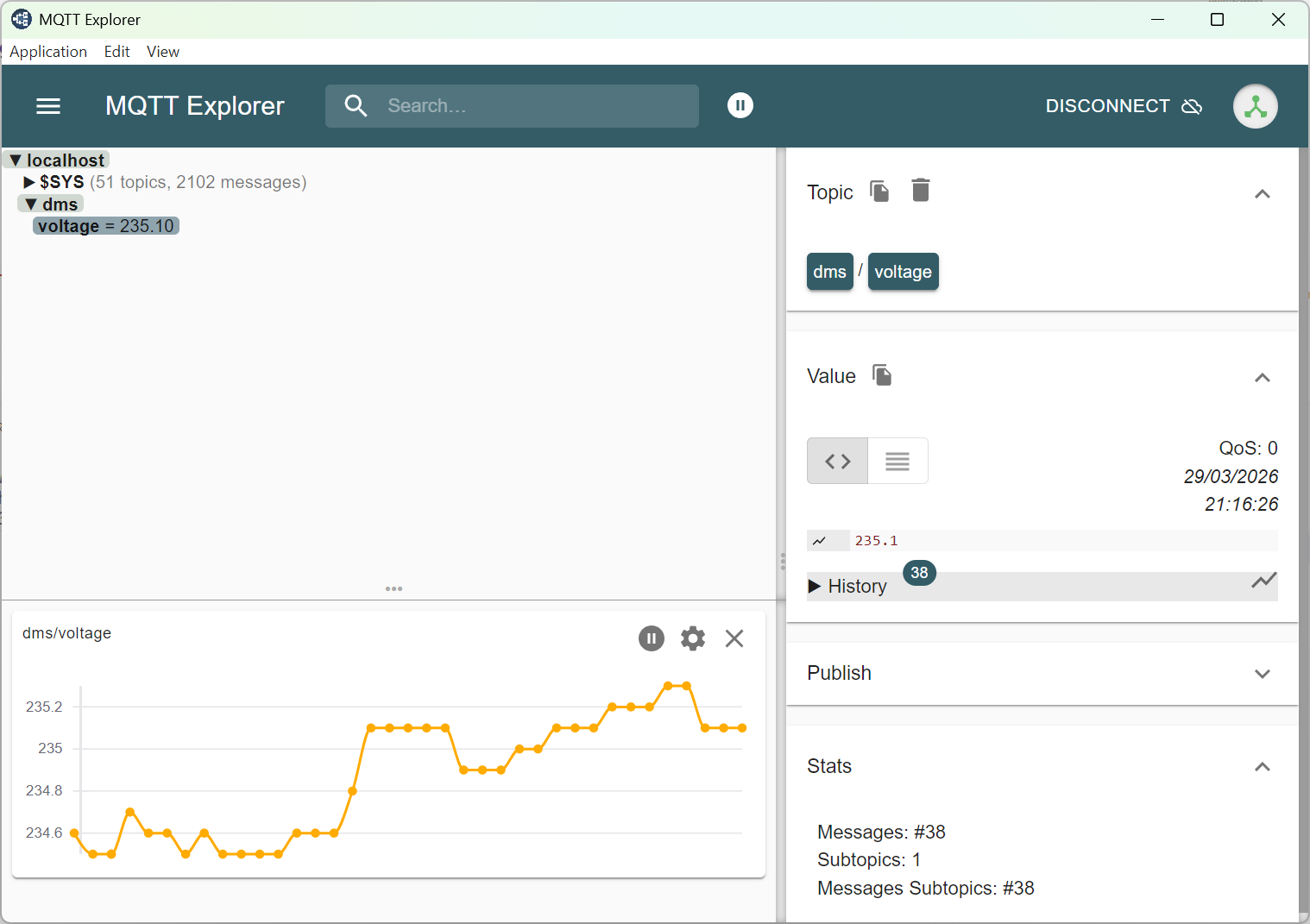
MQTT Explorer was ideal for this stage because it let me see the messages arriving immediately and plot the changing voltage over time without writing any more tooling than necessary.
At that point I had proved the full path I actually cared about: read a value from a Modbus meter inside the cabinet, get it onto Wi-Fi, discover a broker on the network, and publish the result over MQTT.
That firmware was never intended to be pretty, but it did exactly what I needed. It de-risked the awkward pieces individually, and it gave me something concrete to refer back to when moving on to the less glamorous work of building the real firmware structure.